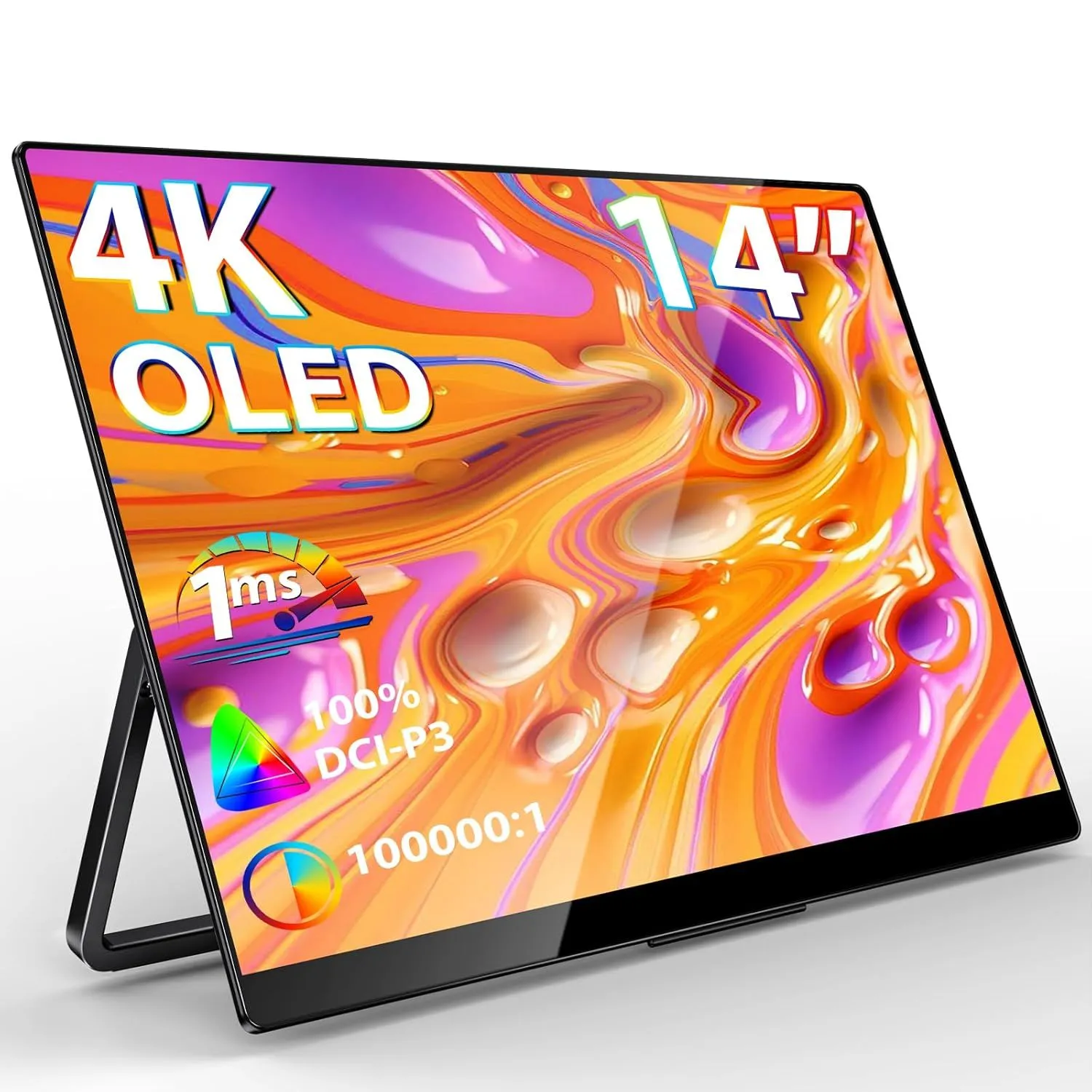
The InnoView 14 Inch 4K OLED Portable Monitor offers a premium visual experience with its Ultra High Definition resolution and cutting-edge organic light-emitting diode technology. Boasting 100 percent DCI-P3 color gamut coverage, this display ensures professional-grade color accuracy and deep contrast levels that bring every pixel to life. The 14-inch panel is designed for those who require high-end performance on the go, providing a crisp and vibrant canvas for both creative professionals and entertainment enthusiasts.
Equipped with a rapid 1ms response time, the InnoView 14 Inch 4K OLED Portable Monitor eliminates motion blur and ghosting, making it an ideal companion for gaming and fast-paced video editing. The integrated speakers and adjustable stand provide a complete multimedia setup without the need for additional peripherals, while the sleek profile ensures it fits easily into any laptop bag. Whether you are connecting to a PC, Mac, or gaming consoles like the PS4 and Xbox, the plug-and-play functionality via USB-C and HDMI offers seamless integration across all your devices.
The versatility of the InnoView 14 Inch 4K OLED Portable Monitor is further enhanced by its compatibility with smartphones and the Nintendo Switch, allowing for a mobile workstation or cinema experience anywhere. Its lightweight construction does not compromise on durability, featuring a high-end build quality that protects the sensitive OLED panel during travel. By combining 4K UHD clarity with the portable convenience of a 14-inch form factor, this monitor serves as a powerful extension of your digital workspace, delivering unmatched brightness and detail in a compact design.
FEATURES:
– 4K OLED display
– 14 inch portable screen
– UHD resolution
– 100% DCI-P3 color gamut
– 1ms response time
– Built-in speakers
– Integrated kickstand
– USB-C connectivity
– Mini HDMI port
– Mac and PC compatible
– Supports gaming consoles
The InnoView 14 Inch 4K OLED Portable Monitor offers a premium visual experience with its Ultra High Definition resolution and cutting-edge organic light-emitting diode technology. Boasting 100 percent DCI-P3 color gamut coverage, this display ensures professional-grade color accuracy and deep contrast levels that bring every pixel to life. The 14-inch panel is designed for those who require high-end performance on the go, providing a crisp and vibrant canvas for both creative professionals and entertainment enthusiasts.
– 4K UHD resolution
– Vibrant OLED display
– 100% DCI-P3 color gamut
– Ultra-fast 1ms response time
– Integrated speakers included
– Built-in adjustable stand
– Versatile USB-C and HDMI ports
– Universal device compatibility
– Compact 14-inch portable design
– No high refresh rate
– Expensive compared to LCD
– Potential for OLED burn-in
– Small 14 inch screen size
– Requires high power input
– Mirroring finish causes glare
– Limited built-in speaker quality
The InnoView 14 inch 4K OLED portable monitor offers a high-end visual experience with its vibrant 100% DCI-P3 color gamut and ultra-fast 1ms response time, making it ideal for professional creative work and universal device compatibility via USB-C and HDMI. While users benefit from its integrated stand and crisp UHD resolution, they must also contend with a premium price point, the long-term risk of OLED burn-in, and significant glare from the mirroring finish. Additionally, despite its excellent portable design, the device is limited by a standard refresh rate, high power requirements, and relatively weak built-in speaker quality compared to its visual performance. Read more…
Sturdy and Durable 180� Adjustable Portable Monitor Stand
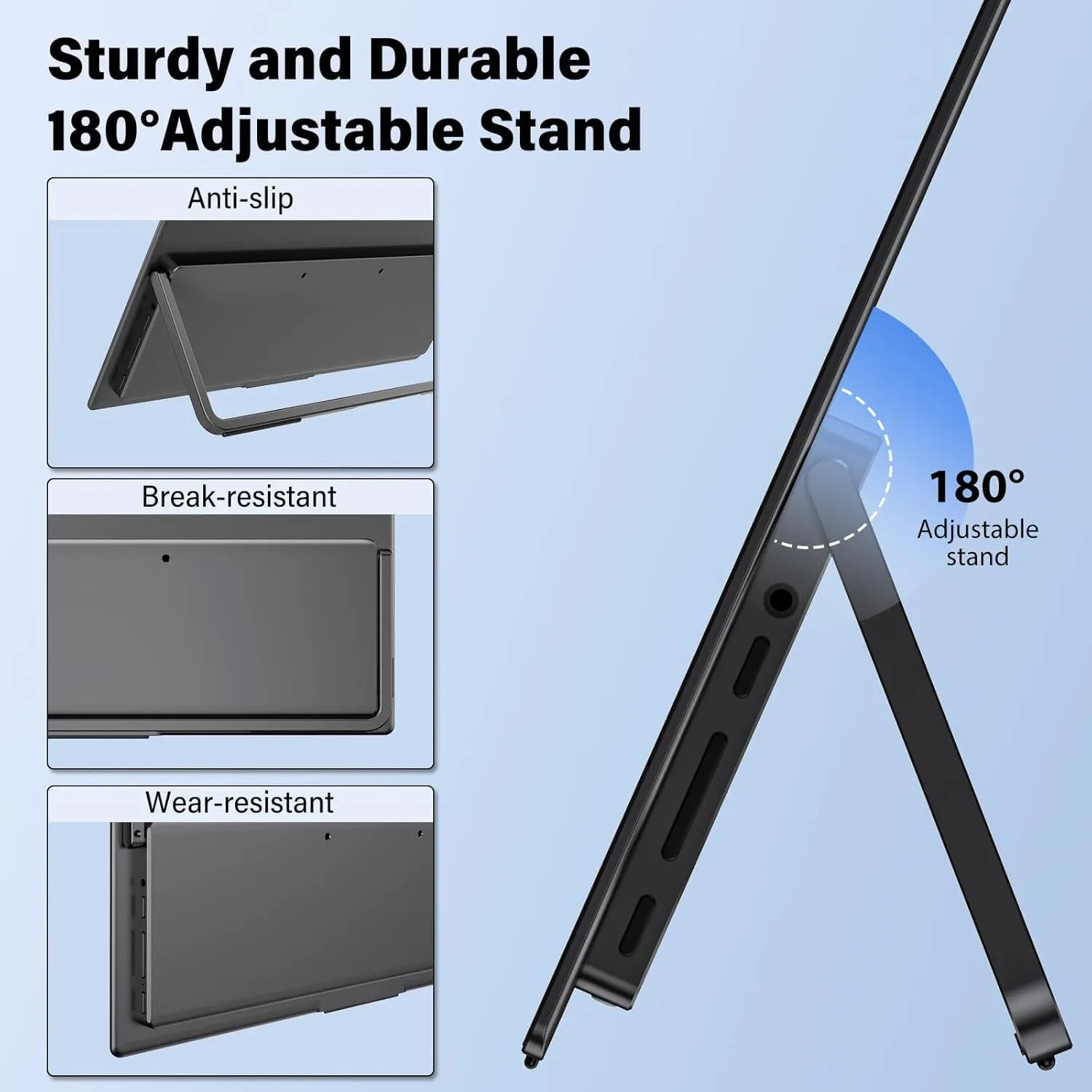
This promotional graphic showcases a sleek, charcoal-gray portable monitor featuring an integrated, heavy-duty adjustable stand. The main image provides a side-profile view of the device, highlighting its slim form factor and the wide range of motion offered by the 180-degree hinge, which is illustrated with a blue semi-circular graphic. To the left, three inset boxes provide detailed close-ups of the device’s build quality: the top box demonstrates the anti-slip base of the stand, the middle box emphasizes its break-resistant hinge construction, and the bottom box focuses on the wear-resistant finish of the back panel and side ports. The layout uses a clean, light blue background and bold sans-serif typography to convey a sense of modern engineering and reliability.
A step-by-step guide for changing a monitor’s aspect ratio from 16:10 to 16:9
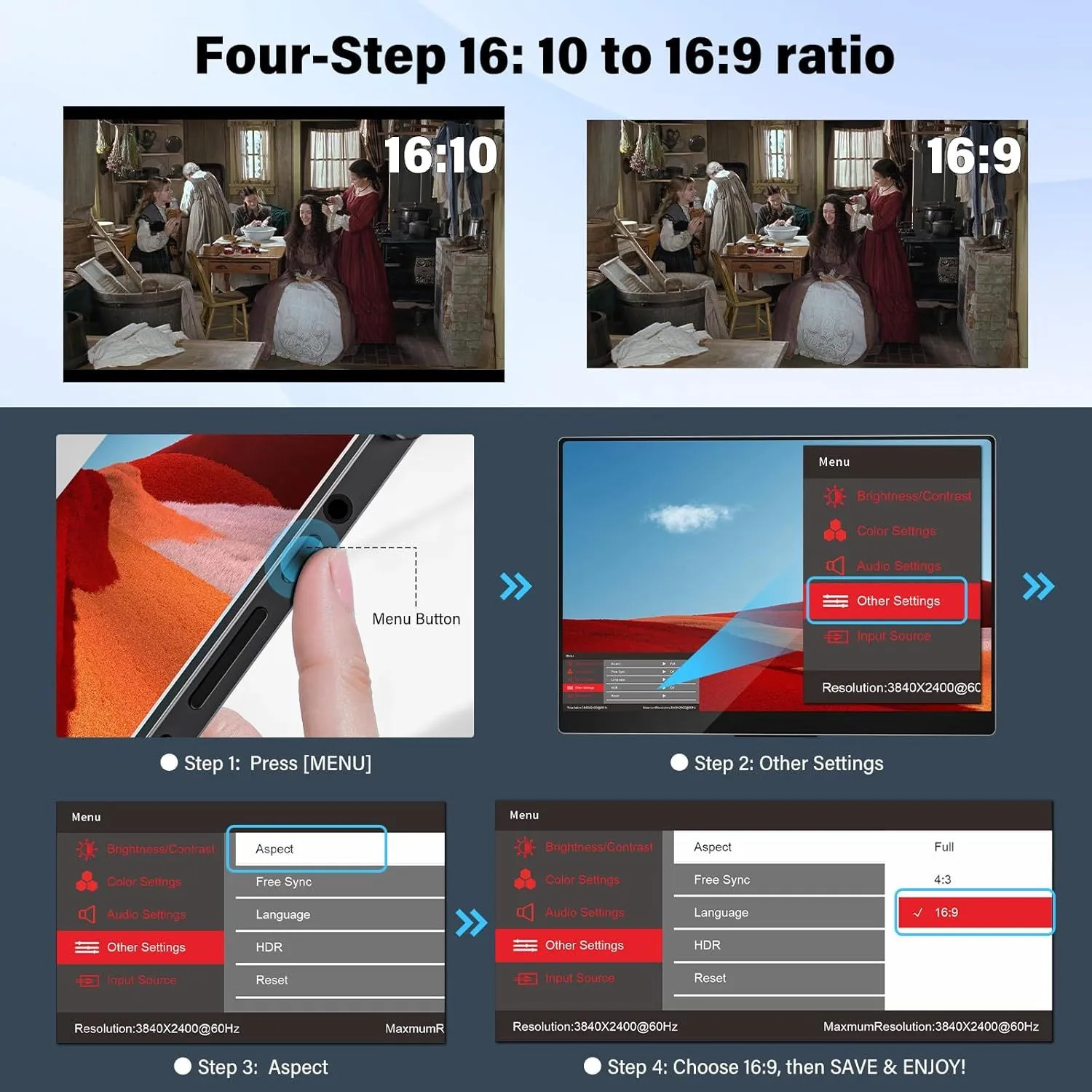
This instructional graphic, titled ‘Four-Step 16:10 to 16:9 ratio,’ provides a visual walkthrough for adjusting a monitor’s display settings. At the top, two comparison images show the difference between a 16:10 and a 16:9 aspect ratio using a scene of people in a historical kitchen. The tutorial is divided into four numbered steps, each accompanied by a descriptive illustration. Step 1 shows a finger pressing a physical ‘Menu Button’ on the side of a slim monitor. Step 2 highlights selecting ‘Other Settings’ from the on-screen display (OSD) menu. Step 3 focuses on selecting the ‘Aspect’ option within that sub-menu. Finally, Step 4 shows the selection of ’16:9′ from a list that also includes ‘Full’ and ‘4:3.’ The bottom of the menu interface displays the current resolution as 3840×2400 at 60Hz and notes the maximum resolution of the device. The overall design uses a clean, dark aesthetic with blue and red highlights to guide the user’s attention through the technical process.
A marketing graphic highlighting high-end display specifications.
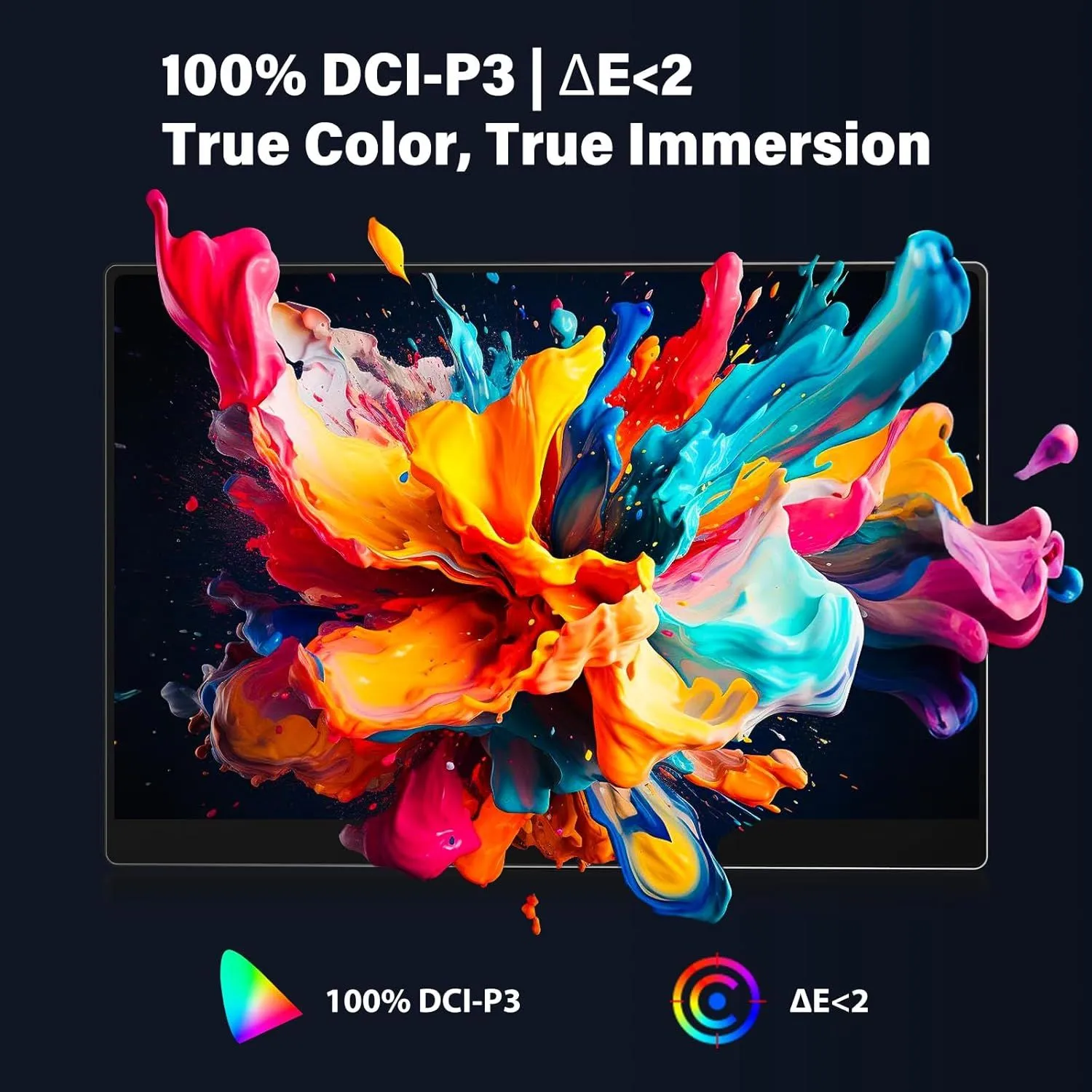
This digital advertisement showcases a sleek, thin-bezel monitor against a dark background, featuring a vibrant and explosive splash of multicolored liquid paint in shades of pink, yellow, orange, and blue. The visual is designed to emphasize color performance and fidelity. At the top of the image, the text ‘100% DCI-P3 | ?E<2' is written in a bold, white sans-serif font, followed by the tagline 'True Color, True Immersion.' Below the monitor, two icons further detail these technical specifications: a colorful gamut triangle representing the 100% DCI-P3 color space and a target-style circular icon indicating a Delta E value of less than two. The overall composition uses high-contrast colors and dynamic movement to convey the premium quality and professional-grade accuracy of the screen's color reproduction capabilities.